Ask a room of developers why a WebSocket beats a REST call and most will say speed. Then show them a Solana price feed that opens cleanly, streams for forty minutes, and paints a stale balance, and the answer gets uncomfortable. Opening the socket was never the hard part. Neither was subscribing. The failures land at the edges: a subscription ID nobody stored, an API key left in a proxy log, a connection that stayed up after the data stopped, a burst of trades that filled memory and froze the tab.
The protocol is not going to save you from any of that. It hands you a pipe and moves on. What follows is the order the protocol itself uses: what the connection is, how frames arrive, who is allowed to stay on it, how Solana subscriptions map to real crypto features, and the reconnect and overload rules that keep a feed honest.
What a WebSocket API Is and When to Use It
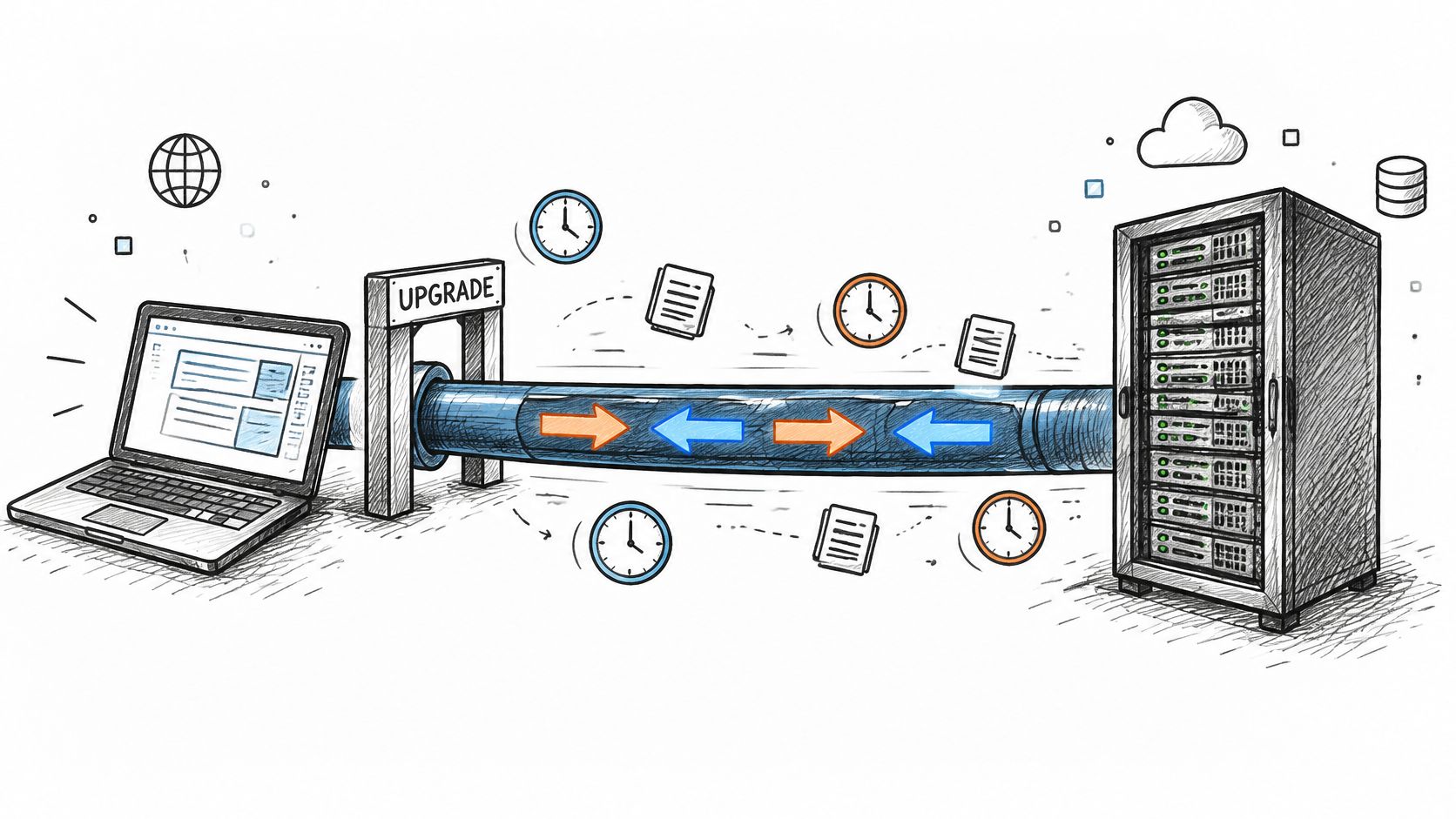
A WebSocket API holds a single connection open between client and server, established through an HTTP Upgrade handshake, and lets either side send messages at any moment. Polling is the thing it replaces. A wallet dashboard that asks for a token price every second gets the same number back most of the time. Subscribe to that token's trades and the server pushes a message only when a trade lands.
The mechanics come from a specific document. The IETF published RFC 6455 on December 11, 2011, and it defined the opening handshake, message framing, the closing handshake and the security considerations. Every provider you'll meet implements that baseline.
Every session walks four stages, no matter whose endpoint you're calling:
- Connect over
wss://, so TLS protects the link. - Subscribe to a named stream, such as trades for one token.
- Receive messages as events land.
- Close from either side, with a code worth logging.
Chat apps run the same four stages, which is why Ciphar's privacy-first messaging explainer is useful background on how private those streams really are once they leave your hands.
WebSocket push versus REST request for crypto data
| Pattern | Best crypto use | Median latency in benchmark |
|---|---|---|
| WebSocket push | Continuous price, trade and wallet updates | 72 to 89 ms |
| REST request | One-off snapshot such as a balance on page load | 22 to 25 ms |
Those numbers cut against the usual sales pitch. A benchmark covering more than 52,000 cryptocurrency market data latency samples reported WebSocket median latency of roughly 72 to 89 ms against 22 to 25 ms for REST in its tested environment, as recorded in this comparison of crypto market data latency samples. The socket wins on continuous delivery and connection count, not on raw round-trip speed.
So the test is simple. Data changes often and the client must react fast, use a socket. You need one value once, like a balance on page load, use REST.
WebSocket Frame Types and Opcodes Quick Reference
| Opcode | Frame | Purpose | Crypto example |
|---|---|---|---|
| 0x1 | Text | Carries UTF-8 messages such as JSON | Solana account change notification |
| 0x2 | Binary | Carries compact payloads both sides decode | High-volume price tick feed |
| 0x8 | Close | Starts a clean shutdown | Provider ends a feed for maintenance |
| 0x9 | Ping | Checks that the other side is alive, up to 125 bytes | Bot checks a quiet price stream |
| 0xA | Pong | Replies to a Ping, up to 125 bytes | Bot confirms the link is still open |
Read the table as a lookup, not a course. 0x1 is the one you'll see most, because Solana RPC notifications arrive as JSON text. 0x2 matters when volume gets serious and both ends agree on a compact format, so you decode bytes instead of parsing strings. 0x8 is a shutdown request, not a network glitch, so stop processing that stream and reconnect on a backoff.
The keepalive pair and the size limit
0x9 and 0xA are the heartbeat. Either side may send a Ping, and the receiver must answer with a Pong unless it has already seen a Close frame. Both are control frames, capped at 125 bytes and forbidden from being fragmented. That's why you never put payload data in a Ping.
Frame type and message content are separate layers. A trade notification arrives inside a text frame: the frame tells your client how to read the bytes, and the JSON inside tells it what happened. Confusing the two is where beginners lose an afternoon.
Run this checklist against your client. It handles text, Close, Ping and Pong frames, and it logs the close code before it reconnects.
Securing Keys and Connection Authorization
Here's the assumption worth breaking: TLS protects the wire, so the key in your connection URL is safe. It isn't. Query strings get written to proxy logs, load balancer access logs, application server logs and telemetry pipelines, and all of that happens after TLS has already done its job.
Send the key in the x-api-key request header on the upgrade instead. A URL is a string people paste into chat, ticket systems and browser history.
- One key per app. A leaked trading key gets revoked without taking down your wallet dashboard.
- Redact at the edge. Strip upgrade requests from logs before they're stored, not after.
- Rotate on a schedule and immediately after any staff change.
- Scope narrowly. The key that reads token prices should not be able to touch wallet methods.
Scope matters because sockets live for hours. Balances, permissions and risk context shift while the connection stays up, so a server should authorize each subscription rather than trusting the handshake forever. Zealynx's research on WebSocket authentication and credential retention makes the uncomfortable point that a correctly authenticated socket can still leak secrets through observability infrastructure.
The interface itself is a pipe, and MDN's WebSockets API reference treats it that way: it moves messages and leaves policy, including who's allowed to keep receiving, to your application. In a wallet dashboard, the REST snapshot call needs a Data API key, while the Datastream key is optional and only enables live mode. Keep them separate, and never embed either in front-end code a user can read. Keys are one layer of a wider defence, and Geeks Solutions' guide to protecting hosted applications and servers covers the host and network side around the socket.
Practical rule: if a credential can be pasted into a URL, assume it will end up in a log line, a screenshot and a support ticket.
Finish by searching your logs for any key or token string and confirming none appear. If one does, rotate it that day.
How to Open a Solana WebSocket Connection
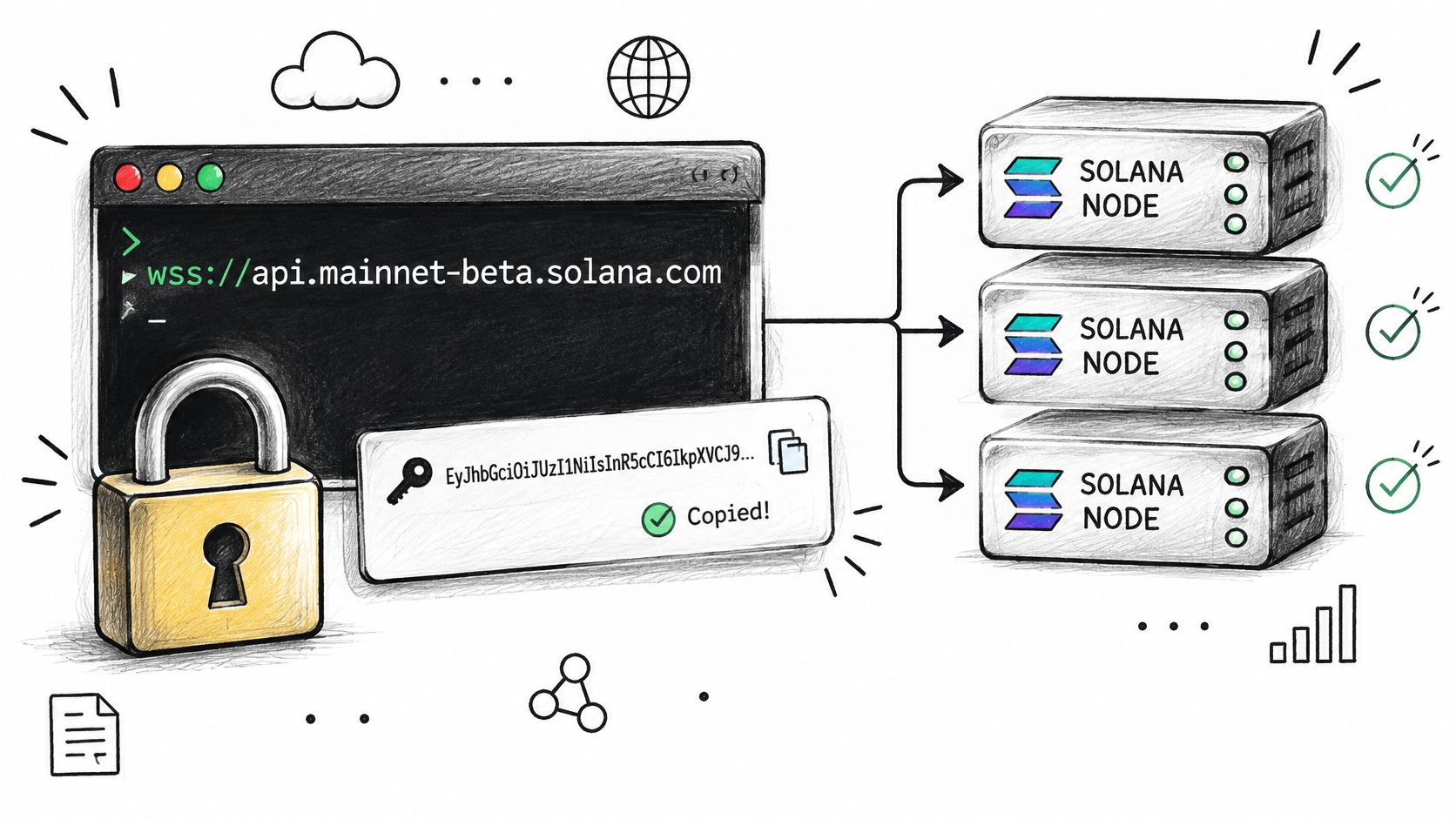
How does a wallet update travel from a Solana WebSocket to the right screen? The connection carries JSON-RPC 2.0 messages over a persistent wss:// endpoint. Solana's WebSocket subscription documentation describes the supported subscriptions. Use wss:// for a secure connection.
From wss URL to routed notification
- Get the connection details. Copy the Datastream key from the Data API dashboard. Use the bare
wss://endpoint as the connection address, and send the key in thex-api-keyrequest header. For Solana RPC subscriptions, Solana Tracker's Solana RPC offers WebSocket access alongside its RPC methods. - Open the socket. Connect to the endpoint with the key in the header, not in the URL. This keeps the credential out of the address when it is copied or logged.
- Subscribe to an account. Send a JSON-RPC 2.0 request with
id: 1, methodaccountSubscribe, and parameters containing the wallet address and options such asencoding: "jsonParsed"and a commitment level. Commitment sets how settled an update must be:processedfavors speed,confirmedwaits for confirmation, andfinalizedwaits for finality. - Store the subscription ID. The server returns a numeric ID, such as 23784. Save it with the wallet address before handling updates. The ID links later notifications to the right subscription.
- Route notifications by ID. An account update arrives with method
accountNotificationand the matching subscription ID. Look up that ID, then send the update to the associated wallet. - Unsubscribe when finished. Send the matching unsubscribe request with the stored ID. The server can then stop sending updates for a subscription your application no longer needs.
The ID is the routing key. If your application does not save it, it cannot reliably tell which wallet an incoming account notification belongs to.
Subscription Methods and Notification Formats
| Method | Notification fires when | Crypto use |
|---|---|---|
| accountSubscribe | Lamports or account data change | Wallet balance watcher |
| logsSubscribe | A transaction's logs mention an address | Track one wallet's activity |
| programSubscribe | Accounts owned by a program change | Monitor a DEX or token program |
| signatureSubscribe | One transaction reaches the chosen commitment | Confirm your own swap |
| slotSubscribe | A new slot is processed | Measure chain progress |
One pattern sits under all five. Every subscribe call returns a single numeric ID, and every notification repeats it, which is how one connection carries many subscriptions at once.
- accountSubscribe suits a balance watcher, since it fires when lamports or account data move.
- logsSubscribe suits activity tracking: a trader watching one whale wallet wants the moment that address appears in a transaction's logs, not every account change on chain.
- programSubscribe suits a DEX monitor, where the trigger is any account owned by that program changing.
- signatureSubscribe is a one-shot. A bot fires it to confirm its own swap, then stops watching.
- slotSubscribe suits chain-progress readouts, not user features.
One connection, many subscriptions. The ID is the only thread connecting a notification to a wallet.
Each method has a matching unsubscribe call. Map every stored ID to exactly one wallet or token before you send anything to a user.
Heartbeats, Reconnects and Overload Control
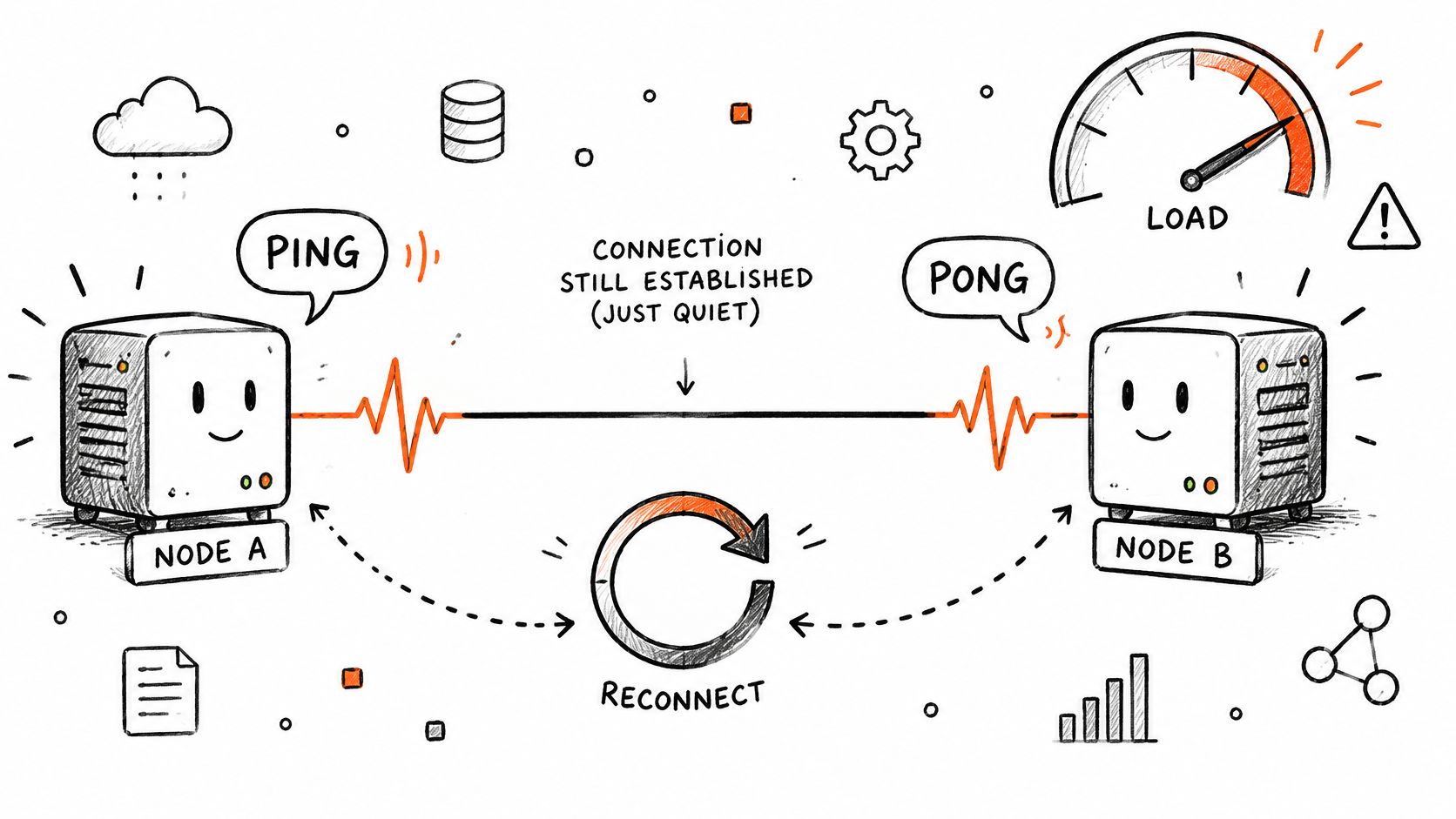
What should a client do when the socket still says “open,” but no new prices arrive? Treat the connection as suspect. A missed heartbeat can mean the stream is stalled, so a trading bot should stop relying on stale prices until it reconnects and restores its subscriptions.
A reconnect policy you can implement today
- Use Ping and Pong to check the connection. A client can send a Ping and expect a Pong in response. Set a bounded deadline for that response. If it passes, close the socket yourself. A half-open connection is worse than a closed one because your code may keep trusting it.
- Reconnect with backoff and jitter. Wait about 1, 2, then 4 seconds, with a cap of 30 seconds and a random offset. Jitter spreads retries out, so many clients are less likely to reconnect at once.
- Rebuild subscriptions. A new connection is a new session. Subscribe again and store the new IDs. IDs from the old connection do not identify subscriptions on the new one.
- Refresh state, then apply updates. Fetch a current snapshot over REST or RPC before applying live messages. This gives the client a baseline after a gap.
Overload needs its own rules. The browser WebSocket API does not provide application-visible backpressure, so messages can pile up when they arrive faster than your code processes them. Bound the queue and count overflow events. Otherwise, a slow consumer can use more memory and CPU until the app becomes unresponsive.
- Trades and account changes: preserve events your application must process. Queue them and monitor whether the consumer is keeping up.
- Prices: keep the latest value per token. Older ticks can be replaced by newer ones before they reach the display.
- Low-priority channels: pause or unsubscribe temporarily when the queue grows.
Test both failure modes: a silent connection drop and a burst of messages. The client should recover without freezing or treating stale data as current.
A rule that saves accounts: treat every reconnect as a brand-new session, not a resumed one.
Debugging a Stream That Looks Wrong
Match the symptom, then fix the cause.
- Subscribed but silent. The method may not match the event you want, the commitment may be stricter than your use needs, or the address is wrong. Check all three before blaming the provider.
- Notifications with an unrecognized ID. You reconnected and kept the old ID. Resubscribe and rebuild the wallet-to-ID map.
- A Close frame arrives. Log the code and reason, then reconnect with backoff. A Close is a decision, not a random failure.
- Duplicate alerts after a reconnect. Deduplicate by transaction signature where one exists, otherwise by slot plus account, before anything reaches a user.
- A stale balance on screen. Compare against a fresh REST snapshot. A socket only pushes changes, so one missed message leaves state behind forever.
Log five things per stream: subscription ID, method, commitment level, close code and last processed slot.
Price, Wallet and Liquidity Streams
Three designs cover most crypto products, and each pairs a stream with a filter and an update rule.
Live price ticker. Subscribe to trades for one token, keep only the newest price per token, and redraw at most once per second. Under a burst, the screen flickers if you render every tick, and users read flicker as a bug.
Wallet balance watcher. Subscribe to account changes for each wallet the user has open, store the ID against that wallet, and paint the new balance as each notification lands. Trades here must never be dropped, since a missing balance change looks like a failed transaction.
New-pool alert. Subscribe to a DEX program's account changes, filter to pools whose reserves pass a minimum you choose, and send one alert per pool. New pool events are lossless, the price movement that follows is not.
Decision rule: if the product needs every event, build for lossless delivery and reconcile from a snapshot after any overflow. If it needs only current state, coalesce and accept that intermediate values vanish.
Apply the per-type overload policies from the reconnect section rather than inventing new ones. Liquidity behaves differently from prices: confirmed history and live events answer different questions, and a chart that mixes them tells two stories at once.
Start Your First WebSocket Stream Today
- Create a Data API key in your Solana Tracker account dashboard and keep it out of front-end code. A starting key includes 2,500 free requests a month, with no credit card required.
- Load a snapshot first. One REST call for the token or wallet you care about means your state starts correct.
- Open the stream and subscribe to one room, such as trades for a single token. The Datastream carries real-time feeds for prices, trades, token launches, wallet activity and volume, across 20+ room types with unlimited messages, so discipline matters more than room count.
- Log everything for ten minutes and check sequence and timestamps against your snapshot.
- Add the plumbing before users. Heartbeat, reconnect with jitter, overload policy and the debug logging above belong in the first build, not the second.
Start with one room and one token. Force a drop, watch it recover, confirm your state reconciles, then add the next room.
Solana Tracker runs Datastream, a WebSocket API for live Solana prices, trades, token launches, wallet activity and volume, alongside a Data API with 70+ indexed endpoints and RPC infrastructure that supports WebSocket subscriptions. Everything in this guide maps straight onto it: subscribe to one room, store the ID, add the heartbeat and overload rules, then scale out. Visit Solana Tracker to create a key and open your first stream.