A friend messages you that the SOL is sent. Twenty minutes later your wallet still shows the old balance, and the only thing you have to go on is a long string of letters and numbers they pasted into the chat. That string is a transaction signature, and a blockchain explorer turns it into something you can read: what moved, where it went, whether it succeeded and what it cost. The same tool answers harder questions too, like whether a token contract can mint unlimited supply, or whether the wallet you're about to pay has any history at all. It also has blind spots that go unnoticed until they matter. This guide covers both sides.
What a Blockchain Explorer Shows You
A blockchain explorer is a public search interface that lets anyone read a blockchain's ledger, the shared record of every block and transaction, without asking a bank, an exchange or a company for permission. Think of it as a bank statement the whole world can open. Balances are visible, transfers are visible, and nobody can edit a line after the fact.
Bitcoin's explorer documentation describes exactly this job: browsing every block and payment the network records, alongside operational data such as the mempool of waiting transactions, current fee levels, block size and mining activity. A recent block shown there contained 2,750 transactions, occupied about 2.00 MB and collected 0.03879543 BTC in fees, while nearby blocks held as many as 7,615 transactions (bitcoin.com explorer).
That second half surprises beginners. An explorer isn't just a receipt lookup. It's an observability layer for a network with no head office, which is why it can tell you how busy the chain is before you send anything.
The four levels below are the ones you'll use most.
| Level | What You Can Check | Example Question |
|---|---|---|
| Blocks | Height, timestamp, transaction count, size and fee total | Was this block full, and how much did it collect in fees? |
| Transactions | Status, sender, receiver, amount and fee paid | Did my payment reach the recipient? |
| Addresses (wallets) | Balance, token holdings and transaction history | Did this wallet receive the funds I sent? |
| Network status | Mempool size, fee levels and confirmations | Should I send now or wait for lower fees? |
Practical rule: decide which level answers your question before you type anything. Blocks tell you about congestion, transactions tell you about one payment, addresses tell you about a wallet, and network status tells you whether now is a good time to move money.
Get that match right and you skip the frustration of pasting a wallet address into a search bar and wondering why no amount of refreshing makes the page answer a question it was never built to answer.
Core Features for Tracing and Searching On-Chain Activity
Three features do most of the work, and each answers a different question.
Transaction tracing follows funds from one address to the next, showing every hop with its timestamp and amount. Say a buyer's USDC payment looks misdirected. They open the trace and see the funds landed in a different receiving address two hops later, which tells them far more than a "completed" badge ever could.
Token and wallet views list balances, holdings and transfer history for a single address. A user checking a Solana wallet opens its token tab and sees which SPL tokens it holds and when each was last moved. That's the view for "what does this wallet own", not "where did my payment go".
Search accepts a transaction hash, a wallet address, a block number or a token name and routes you to the matching page. Paste a contract address and you land on its code, holders and transfers in one step.
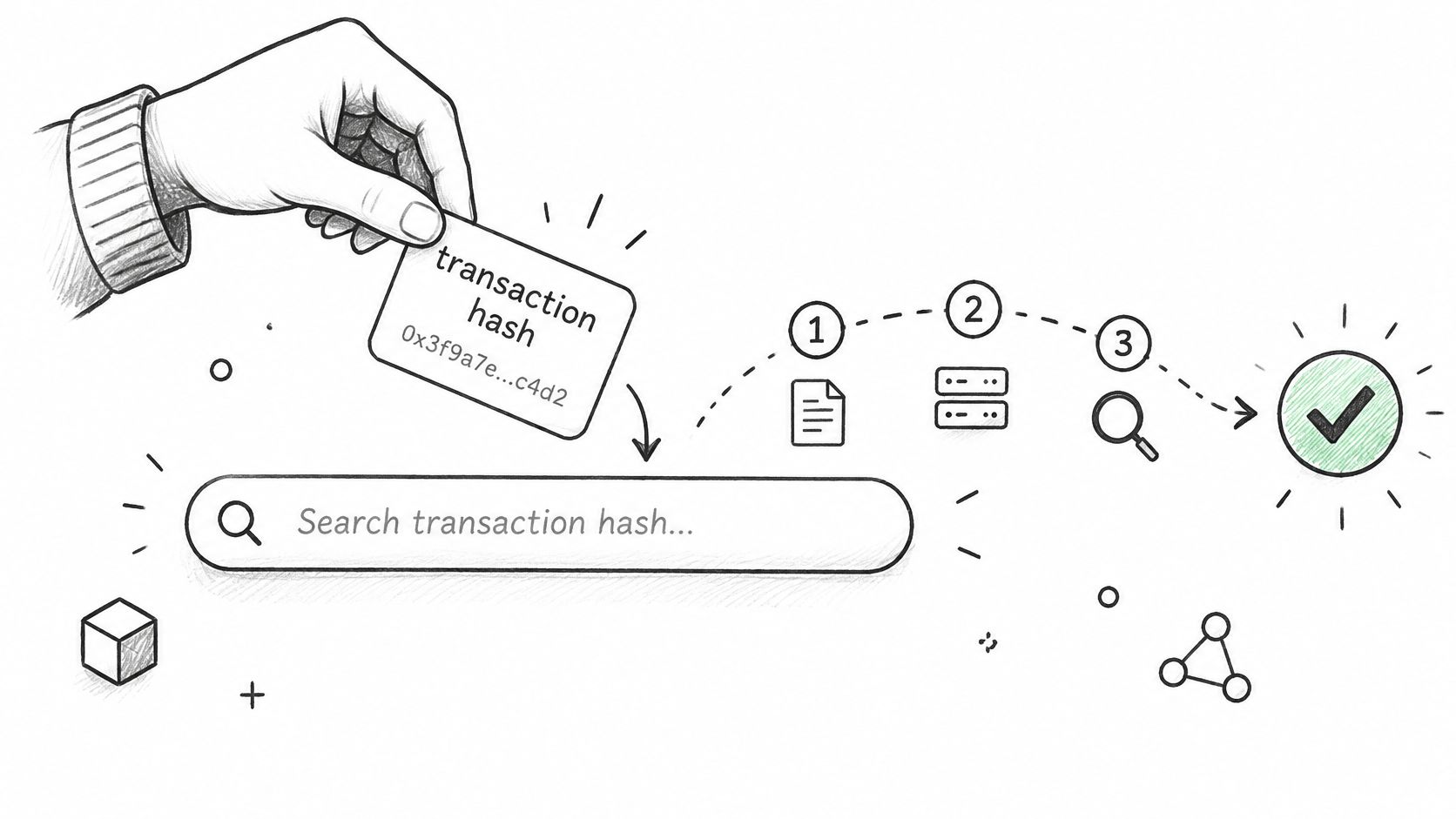
Think of a map with three layers: the route is the chain of transfers, the stops are the addresses, and the vehicles are the tokens and amounts. A rule of thumb that saves time: start with search, open the transaction view for one payment, and switch to the wallet view only when the question is about what an address holds or has done over time.
How to Trace a Transaction Step by Step
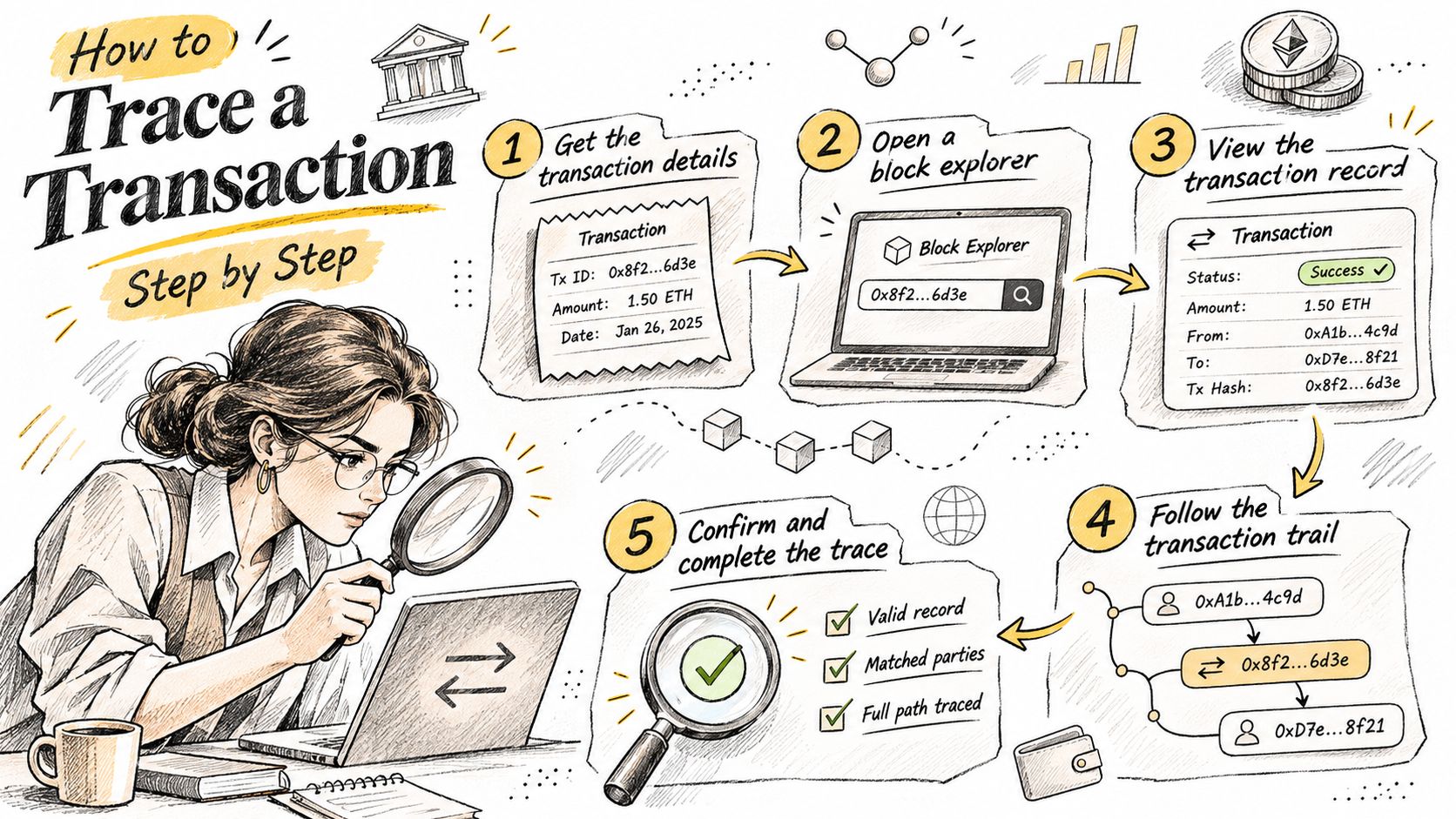
Trace one payment properly and the process becomes muscle memory.
- Copy the transaction hash from your wallet app, or ask the sender for it. The hash is the only identifier the network guarantees is unique, so everything else depends on getting it right.
- Paste it into the search bar and press enter. Don't search the amount. Two transfers of 0.5 SOL on the same day look identical in a list and completely different in a hash lookup.
- Read the status first. Success, failed or pending sets the tone for everything that follows.
- Check confirmations or finality. A transaction in the newest block can still be reorganised out on some chains, so give a large payment more confirmations before you treat it as settled.
- Compare sender, receiver and amount against what you expected. A single wrong character in an address is the most common reason funds appear lost, and the explorer is where you catch it.
- Look at the fee. Confirm what was paid, and whether it was charged even though the transaction failed.
- Open the token transfer tab if a token moved. It shows the exact token and amount, which matters when a swap touches three assets in one signature.
When the Status Says Failed
A failed status tells you the transaction didn't complete. It doesn't tell you why, and that gap is where people draw the wrong conclusion.
Read the error message and match it to a cause. A price or slippage limit that wasn't met needs a looser setting, not a bigger fee. Contention for the same accounts means someone else got there first. An invalid state or a program error means the call itself was wrong. A large-scale study of Solana that examined more than 1.5 billion failed transactions across over 72 million blocks found that bots failed 58.43% of the time, with price-not-met and invalid-status errors making up 67.18% of failures (arXiv study of Solana failed transactions). A high failure rate is often competition, not a broken chain.
A failed swap with a price-limit error is a settings problem. Retrying it with a higher priority fee just buys you the same failure faster.
A confirmed, correct transaction looks boring: success status, the receiver you expected, the amount you agreed, and a fee you can account for. Boring is the goal.
Checking Contracts and Wallets Before You Trust Them
Here's the assumption worth challenging: that a page full of code and green labels means something is safe. It doesn't. It means the code is readable.
Contract verification is the check that makes the rest possible. Etherscan's process recompiles the submitted source code and compares the resulting bytecode with the bytecode deployed at the contract address. When they match, the explorer publishes the source and shows a verification label (Etherscan contract verification docs). So before you interact with an unfamiliar Ethereum token, open its contract page, confirm the verified label, and read the functions that can hurt you: minting, pausing, blacklist controls and ownership transfer.
What Verification Does Not Prove
Verification confirms the displayed source matches the deployed bytecode. It says nothing about whether the contract is safe, whether the team is honest, or whether liquidity is locked. An unverified contract can run perfectly well, and plenty of scams ship fully verified code.
Wallet pages carry a similar trap. Balances and history show what happened on-chain, but labels like "exchange" or "whale" are usually inferred guesses from clustering and heuristics, not facts recorded by the network. Treat a label as a hint, check whether the explorer flags indexing delay, and ask whether missing records would change your read. Viewing a wallet also leaves a trail of behavioural patterns, and on-chain data generally can't be deleted afterwards.
For Solana tokens, Rugcheck scores risk across 20+ factors and surfaces authority status, sniper and bundler wallets, so the contract question and the token-risk question get answered in one place.
Checklist before you click anything: verified label present, owner functions reviewed, label source noted, data freshness checked, and balance cross-checked against the transaction view.
Using Explorer Data in Apps and Dashboards
Start with the question each screen answers, then pick the call that answers it. Teams that begin with the endpoint usually end up over-fetching and blaming the API for the lag.
A wallet page needs one full lookup when a user opens it. Polling 200 wallets for balances and prices needs a much lighter call. That's why we split them: use getWallet when a user opens a wallet page, and getWalletBasic when polling many wallets that only need balances and prices. Live balance changes belong in a stream, not a refresh loop, because polling for changes wastes requests when most wallets are idle.
Narrowing beats filtering. Adding a start window, a mint or a counterparty to a query cuts the number of pages returned far more than filtering the same rows on the client side after they arrive.
Why Fast Explorers Are Built Differently
Speed comes from data layout, not from buying bigger machines. A production-grade explorer models the ledger as an indexed transaction graph rather than re-scanning serialized blocks. Indexes map block number, block hash, transaction ID and position to file locations, turning a lookup into a key-value retrieval instead of a full-chain scan. For address histories and fund-flow tracing, vertices represent blocks, transactions or addresses, and directed edges represent spending and receiving (indexing architecture for blockchain data).
The payoff is measurable. The CoinGraph prototype stored Bitcoin transaction data as a graph and executed block queries by traversing block-to-transaction edges, and its reported implementation ran 8× faster than Blockchain.info on Bitcoin block queries.
The practical version for your own app: keep hot paths (signature, account, slot, program, token) on fast indexes, leave multi-hop tracing to slower analytical paths, cache hot account histories and token metadata rather than every response, and display data freshness and finality in the interface so users know what they're looking at. The same discipline shows up outside crypto, where teams improving fleet operations with Python cut load by answering one narrow question per screen instead of pulling the whole dataset into the browser.
Say a portfolio app loads one full wallet when a user opens it, then polls a list of 200 wallets once a minute with the lighter call. Requests drop, pages load faster, and nobody notices the engineering.
Confirm Your First Transaction on a Blockchain Explorer
Pick one real transaction from your own wallet today and run it through the steps above. Stop only when the status, receiver, amount and fee all match what you expected.
Two traps deserve attention. A freshly submitted transaction can show as pending or missing while the explorer's index catches up, and a label like a pool or service name is an inference about the counterparty, not proof of what the transaction was for. Keep in mind also that any wallet you search is a public record: anyone who knows the address can pull up the same history.
For Solana transactions and wallets, Solana Tracker's Tools menu includes Explorer, Wallet Tracker and Rugcheck, which cover transaction lookups, wallet holdings and PnL, and token risk scoring. Solana Tracker acts only as an interface to on-chain data: it is not a broker, exchange, custodian or financial institution, so what the explorer shows is a starting point rather than a guarantee.
The test to apply to any explorer: if the transaction status matches what the wallet shows, the record is reliable enough for your next step. If it doesn't match, treat the label or pending status as unconfirmed until the network data settles.
That single habit, checking the record against the wallet before acting, catches more problems than any dashboard feature. If you're tracing a payment, checking a contract before a swap, or building a dashboard that needs wallet and token data, head to Solana Tracker and trace your next transaction there.