Your wallet dashboard compiles, the token-price request succeeds, and then a response arrives with null where your component expects a number. The screen breaks, or worse, your bot treats missing data as a usable price. The editor didn't warn you because it never inspected that response.
OpenAPI TypeScript tooling makes API calls easier to write correctly. It doesn't make incoming JSON trustworthy. A reliable crypto client needs both a generated contract and an explicit boundary where external data gets checked before it reaches balances, charts, or trading decisions.
Choose the Right OpenAPI TypeScript Tool
OpenAPI TypeScript tools compared
| Tool | What it generates | Runtime code added | Best fit |
|---|---|---|---|
| openapi-typescript | Type declarations for paths, parameters and bodies | None | Teams that write their own fetch calls |
| openapi-fetch | Typed fetch wrapper built on those declarations | About 6 kB | Dashboards and bots that make many requests |
| OpenAPI Generator (typescript-fetch) | Full client classes and models | Generated classes and models | Multi-language teams that want classes |
The important distinction is what you ship, not how much code the generator prints. Declaration-only output disappears during compilation. Generated client classes remain application code that you need to review, configure, and test after regeneration.
OpenAPI TypeScript isn't a separate specification. It's the TypeScript tooling around the language-independent API contract described by the OpenAPI specification. Choose whether you want that contract to produce types alone, a lightweight request interface, or a complete generated client.
Check the dialect before installing
Open your API document and inspect its openapi field. The OpenAPI specification document establishes the versioned contract that generators consume; check that your selected tooling supports the document's dialect.
For example, suppose a Solana token-metadata service publishes an OpenAPI 3.1 document while the dashboard's generation pipeline expects 3.0. Unexpected nullable fields should trigger a compatibility check, not a round of non-null assertions.
Optional and nullable aren't interchangeable. A token logo can be absent from an object, present with a null value, or present with a URL. Your contract should describe which cases occur.
Practical rule: Pick the smallest client surface your team can maintain. More generated code doesn't automatically mean more protection.
For a single TypeScript dashboard or bot, I'd start with openapi-typescript and openapi-fetch. Choose the full generator when several languages must share a specification and the team wants generated client classes. Don't introduce a class-generation workflow just to avoid writing a small request module.
How to Generate Types from Your OpenAPI File
Keep the schema beside the application so a reviewer can inspect contract changes alongside call-site changes. The openapi-typescript documentation describes support for local and remote schemas and runtime-free declaration generation.
Make generation repeatable
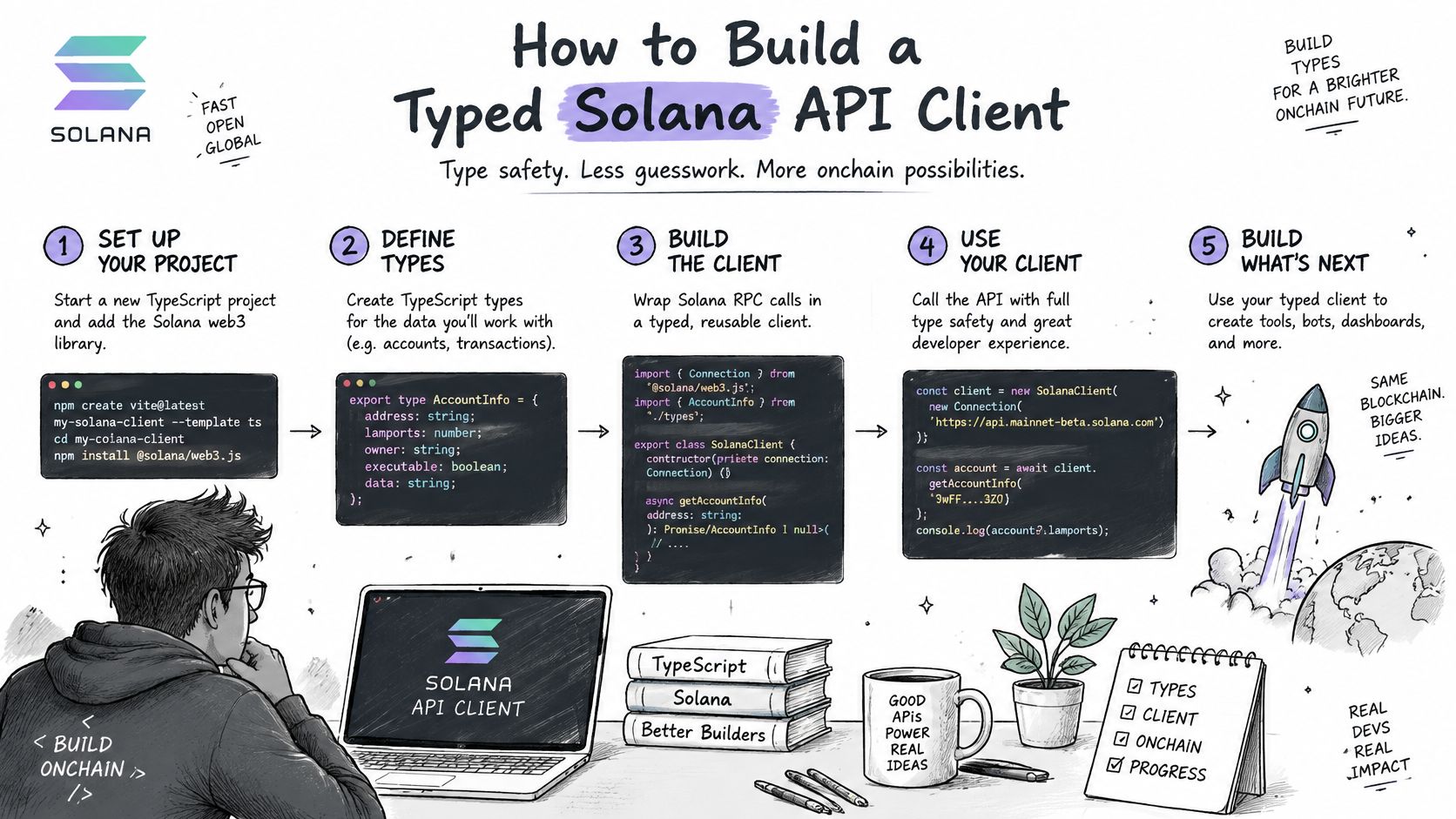
Install the development tools. Run
npm install -D openapi-typescript typescript. Commit the lockfile so local development and CI use the same resolved dependencies.Save the contract. Put the API document at the project root as
schema.yaml. A remote schema works too, but a committed snapshot makes changes easier to review and avoids generating against a moving target.Generate declarations. Run
npx openapi-typescript schema.yaml -o src/api.d.ts. Treat that output as generated material, not a file to patch when an endpoint type looks inconvenient.Import through one request module. Use
import type { paths } from './api'wherever you construct the shared client. Keep endpoint-specific behavior in that module rather than scattering raw requests across wallet components.Name the command. Add
"generate:api": "openapi-typescript schema.yaml -o src/api.d.ts"to thescriptsobject inpackage.json. Teammates and CI should runnpm run generate:api, not remember their own generator flags.Enable safer indexed access. Set
noUncheckedIndexedAccesstotruealongside strict TypeScript checking. A balance map keyed by mint address should force the caller to handle an absent entry.
For a mint-keyed balance map, const balance = balances[mint] must not imply that every requested token exists. Render an unavailable state when balance === undefined; don't automatically substitute zero, because an unknown balance and an empty balance mean different things.
Check the schema, not just the output
Review required arrays before accepting generated declarations. An inaccurate schema can make a legitimate response incompatible with your application's assumptions even though generation completes successfully.
Don't repair that mismatch with a cast. Correct the contract or introduce an explicit adapter for the documented variation.
Finish with a deliberate change: rename a required path parameter in the schema, regenerate, and run tsc --noEmit. The compiler should identify the affected request. If it doesn't, check whether that call still uses untyped fetch code.
How to Build a Typed Solana API Client
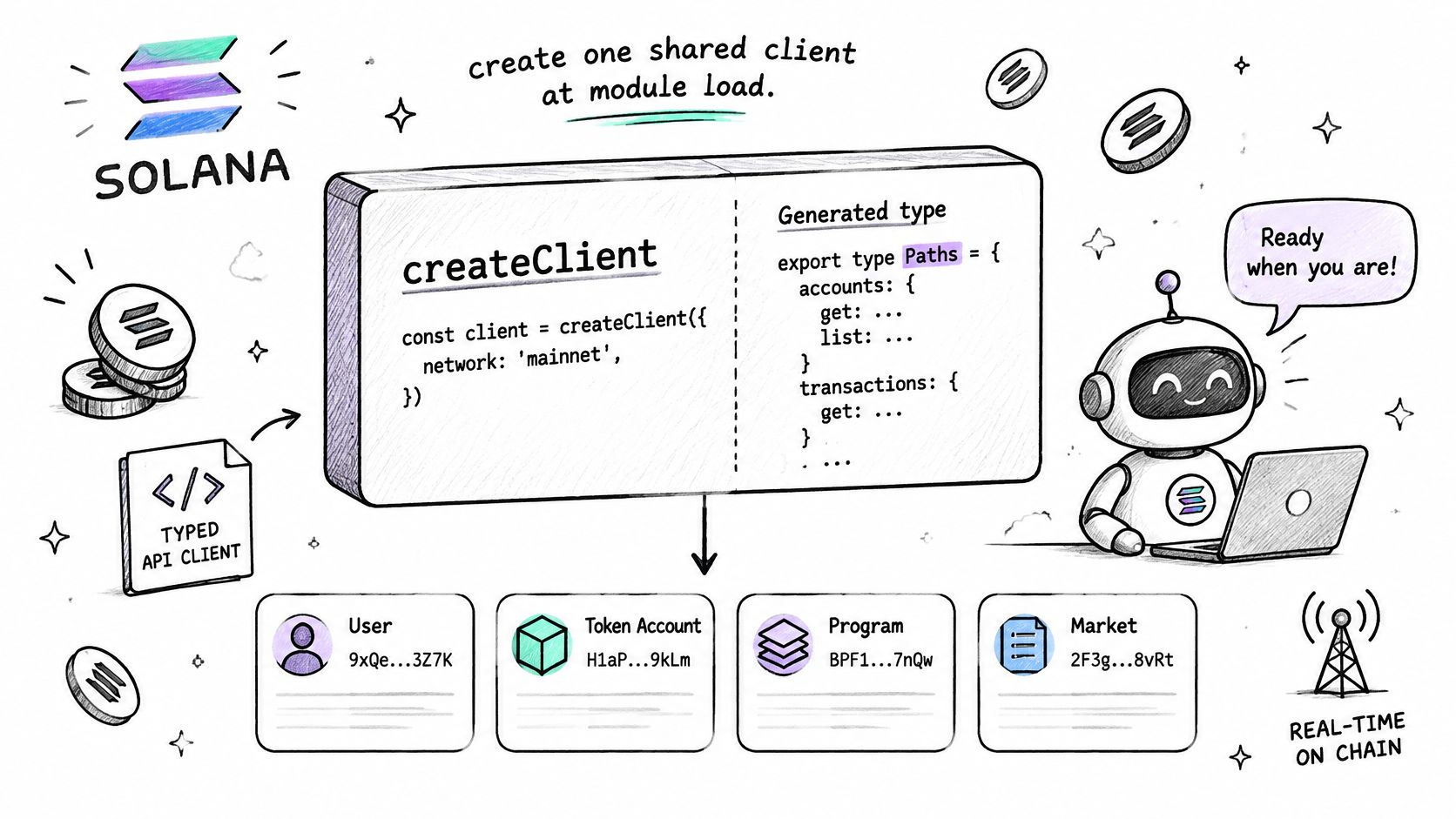
Create the client once at module scope, then expose endpoint functions to the rest of the application. For an illustrative schema containing /tokens/{mint}, the request path looks like this:
import createClient from 'openapi-fetch';
import type { paths } from './api';

export const client = createClient<paths>({
  baseUrl: apiBaseUrl,
  headers: serverAuthHeaders,
});

export async function loadToken(mint: string) {
  const { data, error, response } = await client.GET(
    '/tokens/{mint}',
    { params: { path: { mint } } },
  );

  if (error !== undefined || !response.ok) {
    throw new Error(`Token request failed (${response.status})`);
  }

  if (data === undefined) {
    throw new Error('Token response was empty');
  }

  return data;
}
Here, apiBaseUrl and serverAuthHeaders are application configuration, not generated exports. The route is an example contract, so use the actual path in your API document rather than assuming every provider exposes this exact endpoint.
A wrong parameter name should fail in the editor. Branch on the error result before using data, and keep transport failures separate from a legitimate token-not-found result. Configure shared authentication headers centrally instead of rebuilding them for every wallet request.
If you prefer a ready-made package, our Data API integration page is the starting point. The Solana Tracker Data API SDK is published on npm as @solana-tracker/data-api, and the REST wallet endpoints work with a Data API key.
Measure client overhead separately
The client-performance discussion in SitePoint's contract-drift guide describes openapi-fetch as approximately 6 kB, with a rough benchmark of 300,000 operations per second; results vary by machine and browser, so relative comparisons are more useful than absolute figures. That isn't a network throughput guarantee.
- Isolate request construction. Benchmark warm-cache client work separately from remote response time.
- Measure the distribution. Record p50, p95, and p99 overhead for request handling and stream dispatch.
- Match deployment. Repeat with the Node.js runtime and bundler settings you ship.
The typed wrapper trims handwritten plumbing. Network latency, upstream processing, and rendering still determine when a fresh token price reaches the screen.
Secure Keys, Rate Limits and Retries
Keep the Data API key on the server. A frontend environment variable isn't secret when the build embeds its value in browser JavaScript. Use a backend route or proxy that authenticates your users and controls upstream requests.
Our API usage is subject to the rate limits and request quotas defined by your subscription plan. Treat that capacity as shared across the application, not as a separate allowance for each chart, wallet tab, and background worker.
Establish the request policy
Load credentials at startup. Read the key from
process.envand fail startup if it's missing. Don't discover missing configuration after a user opens their portfolio.Attach authentication centrally. Pass the documented authentication header through the shared client's
headersoption. Keep it out of query strings, logs, and exception messages.Wait when throttled. On a
429response, inspect the rate-limit information and honor the supplied retry delay when available. Don't immediately replay the same request.Bound retries. Use capped exponential backoff with jitter and a finite attempt budget. Retry safe reads selectively; don't blindly repeat transaction-submission requests whose outcome is unknown.
For example, say a wallet-tracker bot refreshes holdings every five seconds and allows three total attempts for a read. These are application choices, not provider limits. When throttled, pause that refresh and avoid starting overlapping retries from the next polling tick.
A delayed wallet refresh is recoverable. An uncontrolled retry loop can prevent every consumer sharing the key from refreshing.
Diagnose failures without leaking data
Log the endpoint template, status code, timestamp, and a correlation identifier. Avoid logging the key or full response body, which may expose wallet activity or other sensitive application context.
If an ingestion worker also scrapes public pages, Clearcote Labs' guide to diagnosing why your scraper gets blocked offers useful troubleshooting context. Keep that diagnosis separate from API retry policy: an authentication failure, a rate limit, and a blocked scraper need different fixes.
Validate Responses and Test the Client
TypeScript types disappear at runtime. A response containing priceUsd: null can reach a function whose generated return type says priceUsd: number. The distinction between static checking and runtime protection matters in the broader practices discussed by OpenReplay's TypeScript guide.
For a deliberately small token-price contract, validate the parsed JSON before using it:
import { z } from 'zod';

const TokenSchema = z.object({
  symbol: z.string(),
  priceUsd: z.number(),
});

const result = TokenSchema.safeParse(json);

if (!result.success) {
  throw new Error('Invalid token-price response');
}

const token = result.data;
This example assumes the API promises a numeric price. If the contract permits missing prices, model that state and handle it explicitly. Don't coerce null into zero or accept numeric strings unless that conversion is part of your intended contract.
Put checks at ingestion
Validate external REST responses before they enter your cache or domain model. For a trading decision, also check business conditions such as freshness and whether the quote belongs to the requested mint. A structurally valid price can still be unsuitable for execution.
Avoid maintaining an entire second API specification by hand. Prefer validators derived from the same contract where your tooling supports it; otherwise, keep narrow application-boundary schemas and test them against representative responses.
For WebSocket streams, validate at ingestion before dispatching trusted events. If full validation becomes expensive, benchmark lightweight envelope checks plus sampled deep validation, but don't treat sampling as protection for every message. Any payload used for execution still needs the checks required by that decision.
Failure policy: Reject malformed trading inputs. For display-only data, preserve the last valid value and mark it stale instead of presenting an invented replacement.
Test distinct failure modes
Test layers for generated client code
| Test layer | What it catches | Tool or method |
|---|---|---|
Compiler check (tsc --noEmit) |
Parameter and field type mismatches | TypeScript compiler |
| Mock-response tests | Missing required params and unhandled error statuses | Vitest or Jest |
| Contract diff in CI | Unexpected spec changes between releases | Git diff on generated declarations |
| Scheduled live smoke test | Stale or moved endpoints in production | Cron job calling one cheap endpoint |
Run the compiler on every pull request, including type-test cases that deliberately supply an invalid parameter. Mock a missing price field to prove validation rejects it, and mock throttling to prove the UI reports a rate-limit failure rather than an empty holdings list.
When using our SDK, distinguish RateLimitError, with retryAfter in seconds when available, from DataApiError, which includes an HTTP status, and ValidationError for bad input. A generic fetch wrapper won't automatically reproduce that error hierarchy.
Fail CI on unexpected regenerated declaration changes and inspect removed fields first. API schemas, response formats, and endpoints may change with or without notice, so assign a named owner to a scheduled live token-price smoke test.
Count failures per endpoint and failure category. Passing compilation proves static compatibility; passing mocks proves expected behavior. Neither proves the deployed server still matches your assumptions.
Pick Your Setup and Start Your First Client
For a single TypeScript app, use openapi-typescript with openapi-fetch; choose the full generator when several languages must share a specification and generated classes fit your team's workflow. Start with a token lookup or swap-quote request, not an abstraction intended to cover every future endpoint.
If you're using @solana-tracker/data-api, check the installed version before implementing transfers. Version 0.6.0 is the first release with transfer methods, including getAccountTransfers, iterateAccountTransfers, and the subscribe.transfers rooms; the example runs on Node.js 20.18 or newer.
Define done for one endpoint
A swap-quote view is ready when it handles the whole request lifecycle, not merely when autocomplete works.
- The request compiles. Required parameters and the request body come from the generated contract.
- Failures stay visible. An unsuccessful status produces a readable message instead of a fabricated quote.
- The payload is checked. A Zod validator guards the price field before the view or execution logic consumes it.
- Refreshes stay controlled. A stale request can't overwrite a newer quote, and canceled views stop unnecessary work.
Keep transport types out of your trading rules where practical. Convert a validated response into a small domain object that contains exactly what the application needs. That makes provider-specific changes easier to isolate without pretending different quote formats are interchangeable.
After receiving a quote, use Solana RPC to submit or monitor the transaction, then subscribe for confirmation rather than repeatedly polling. Solana's official documentation describes JSON-RPC 2.0 over HTTP POST and separate HTTP and WebSocket connections in its TypeScript guidance.
REST handles business data such as token metadata, wallet analytics, and route selection. Chain-level confirmation belongs to the Solana connection. Keep those responsibilities separate so a successful quote response never gets mistaken for a confirmed swap.
Solana Tracker offers Solana data APIs, live streams, and RPC infrastructure for token, wallet, and trading applications. Visit Solana Tracker to choose your integration, then build a single typed endpoint with runtime validation and failure tests before expanding your client.