The advice you hear most about picking a Solana wallet is to choose a famous brand, guard your seed phrase, and you're done. That advice has a hole in the middle. A drained wallet usually isn't the result of a leaked seed phrase. It's the result of a signature the owner didn't understand, given to a site that looked legitimate.
The scale explains why this matters. In October 2024, more than 123 million unique Solana addresses signed transactions, up from roughly 86.6 million in September, according to The Block's reporting on record monthly active addresses. Every one of those signatures was an authorization. Most wallet comparisons rank apps by features and skip the part where you decide what to approve.
Solana Wallet Types Compared at a Glance
Start with the answer. The right Solana wallet depends on three things: how much you hold, how often you sign, and whether you want to be the only person who can move the funds. Features like staking dashboards and NFT galleries are secondary. What matters is how each type behaves at the moment you approve a transaction, because that approval is where losses happen.
| Wallet type | Custody | Best for | Main trade-off |
|---|---|---|---|
| Browser extension (e.g., Phantom, Solflare, Backpack) | Non-custodial | Trading and dApp use on a desktop | Fake sites and pop-ups can trick you into signing |
| Mobile app | Non-custodial | Everyday sends and on-the-go access | A lost phone or weak lock screen puts access at risk |
| Hardware wallet (e.g., Ledger) | Non-custodial | Large or long-term holdings | Slower to sign and needs a paired app |
| Exchange account | Custodial | Buying and quick access without key management | You rely on the exchange's security and terms |
| Multisig or team wallet | Non-custodial, shared signers | Treasuries, funds and shared accounts | Setup is complex and every signer must coordinate |
Browser extensions like Phantom, Solflare and Backpack are the default for desktop trading. Their weak point is a convincing fake site that gets you to approve something you didn't intend, since the extension sits one click away from every page you visit. Mobile apps suit sending funds and checking positions on the move, where the risk shifts to your phone and its lock screen. Hardware wallets such as Ledger keep the key offline and fit the part of your stack you rarely touch. You pay for that isolation with slower signing and a paired app for anything beyond storage. Exchange accounts are custodial, so you trust the platform's security, withdrawal terms and solvency. Simple, but a withdrawal freeze is their decision, not yours. Multisig wallets require several signers for each action, which is right for a treasury and a nuisance for one person trading quickly.
High wallet activity on Solana means phishing kits and fake mint pages have a large pool of signing users to target, and they aim at the people who approve transactions most often: active traders on hot wallets.
Say a trader swaps a few times a day on a browser extension and parks the long-term stack on a Ledger. A bad click then costs the trading balance, not the savings. That separation drives the decision. Match the type to your largest risk, not to the app with the longest feature list.
What a Solana Wallet Is and Who Holds the Keys
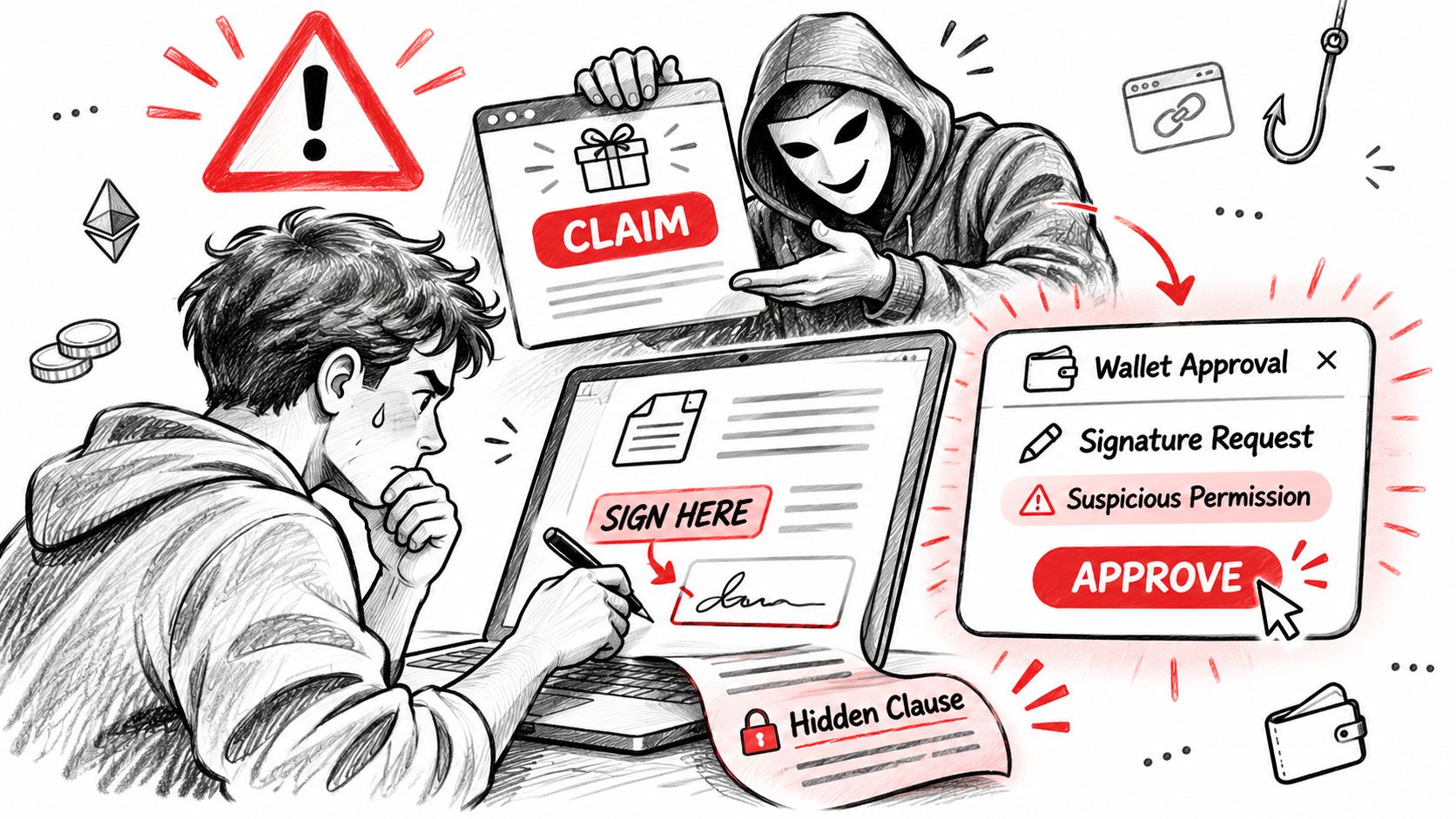
A phishing page doesn't need your seed phrase. It needs one signature, and the screen you approve it on rarely makes that obvious.
A Solana wallet is an Ed25519 keypair, as the Solana developer documentation on wallets describes it. The public key is your address, the thing people send to. The private key signs transactions and messages. Think of the public key as a mailbox slot on the street that anyone can drop something into, and the private key as the only object that opens the box.
Whoever holds that private key controls the funds. That single sentence separates every wallet type you'll meet.
Non-custodial means the key lives on your device or in your hardware, so only you can approve a transfer. Custodial means a company holds it, so you're trusting that company to act correctly and to stay solvent. No interface design changes this. The question to ask of any wallet is blunt: who holds the private key, and can they move funds without my approval?
Fee sponsorship doesn't change custody
Solana lets an application or a server pay the network fee for a user, which is useful when you're onboarding someone with an empty wallet. Your signature is still required, so the sponsor can't move your funds on its own. A dApp can let you approve a token transfer while its backend keypair covers the fee.
A practical example. Say a game wants new players to mint an item without first buying SOL. The studio's backend pays the fee, the player signs the mint, and nobody at the studio gains the ability to spend that player's tokens later. The signature stays the boundary.
Solana Tracker is a data and trading platform for Solana, not a broker, exchange, custodian or financial institution. Using its tools doesn't hand over custody of your keys, and it can't move your funds.
Signing Risks Most Wallet Guides Skip
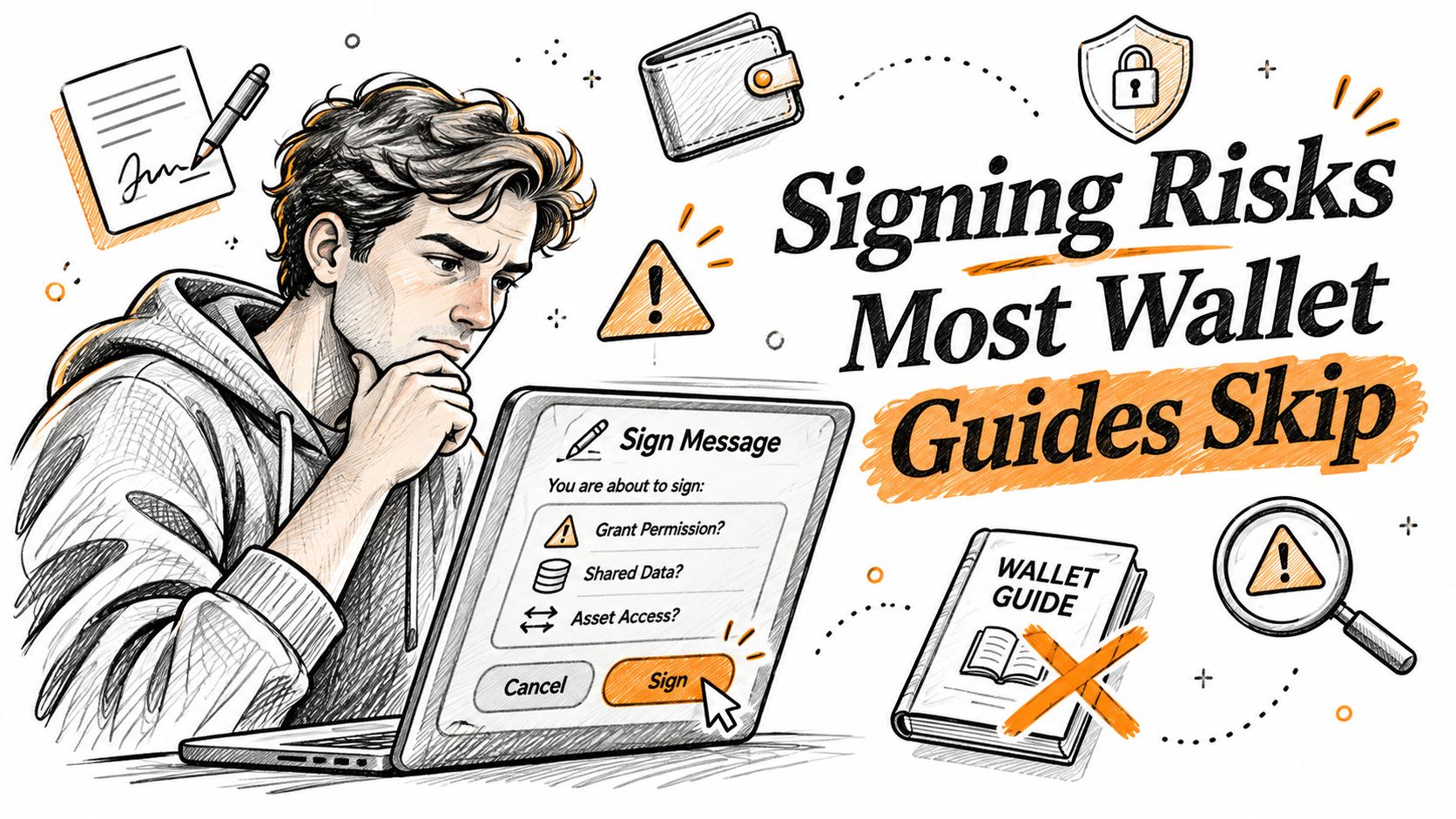
The seed phrase is not the only way to lose funds. That's the part most wallet guides leave out, and it's the part that costs people the most.
Security coverage on Solana Compass's overview of wallet scams makes the point plainly: scams usually succeed through deceptive signatures, fake claim pages, impersonation and malicious instructions, not by breaking Solana's cryptography. A wallet is not merely a key vault. Signature-level risk is the harder problem.
The uncomfortable part: you can lose funds with your seed phrase still sealed in a drawer. Signing an unfamiliar transaction can transfer assets, delegate authority, or interact with a program you've never heard of.
Some signed transactions stay usable after the original interaction ends. "I only connected my wallet once" is therefore an inadequate safety model, because connecting and authorizing are two different acts.
A pre-signing checklist that takes twenty seconds
- Confirm the URL character by character. Bookmark the sites you use. Impersonation works because
jup.agand a lookalike differ by one letter. - Read the expected balance change. A real swap shows what leaves and what arrives. If the simulation is blank or vague, stop.
- Look for authority changes. An approval that lets a program spend your tokens later is not the same as a one-time transfer.
- Check the program ID. Unknown program, unknown risk. A claim page calling a program you've never seen is a red flag, not a formality.
- Reject requests that ask for more access than the action needs. A signature to prove you own a wallet should not also approve spending.
Consider a "claim your airdrop" page. You connect, it shows a claim button, and the transaction it builds includes a token delegation you never asked for. Steps two and three surface that delegation before you sign. Without them, you've handed over spending rights on a balance you meant to keep.
A reputable wallet brand does not solve this by itself. What matters more is how much detail the wallet shows you before the signature, and whether it simulates the outcome in plain language.
Fees and Token Account Costs You Will Actually Pay
Solana fees are small, but they aren't uniform, and the surprise usually comes from account setup rather than from the transfer itself.
| Action | Typical cost | Why it costs this much |
|---|---|---|
| Send SOL or a token to a wallet that already holds that token | A small network fee, typically a fraction of a cent | Only the network transfer fee applies |
| First send of a token to a new wallet | The network fee plus a rent deposit of about 0.002 SOL | The recipient's token account must be created first |
| Receive a token with no SOL in the wallet | Goes through only if someone pays for account creation | The sender or a sponsor can fund the rent on the recipient's behalf |
| Transaction with a fee sponsor | Nothing to you, paid by the sponsor | The sponsor pays the fee, but you still sign the transaction |
These are typical values, and they move with network conditions. The jump on the second row comes from how tokens are stored. Solana keeps each token in a separate token account, one per mint per wallet, as the Solana token documentation explains. Hold USDC and BONK in one wallet and you're using two accounts. Two wallets holding both tokens means four.
The associated token account documentation describes a rent-exempt deposit of roughly 0.002 SOL for each new token account, which is why sending USDC to a wallet for the first time costs more than the second send will. The deposit is recoverable. Close the account later and the rent comes back to you.
Keep a little SOL in every receiving wallet
Every transaction needs SOL for fees, and account creation needs SOL for rent-exempt deposits, which the Solana payments documentation covers. That's the one rule worth memorizing.
An exchange lists a new token and pushes it to customers. A customer whose wallet holds zero SOL can't pay the rent deposit, so unless the exchange funds the account or sponsors the transaction, the delivery fails before the asset ever arrives. The same trap catches anyone moving tokens between their own wallets: the receiving address looks fine, but with no SOL in it, nothing can land unless you fund the creation from the sending side.
Before a large transfer, check that the recipient already has the token account, and confirm the address. Sponsorship changes who pays, not who signs, so read sponsored transactions with the same care you'd give any other.
Empty token accounts pile up fast if you trade actively, and each one holds rent you already paid. Refund SOL previews any address without a wallet connection, and you sign from your own wallet only when you act. Your keys never leave your wallet, and closing the accounts returns the deposits to you.
Solana Wallet Setups for Traders, dApps and Holders
Three people, three setups, and the same underlying constraint.
If you trade
Speed is a design requirement, not a preference. A recent blockhash stays valid for roughly 150 blocks, which is about 30 seconds at the target 200 ms slot interval, per the Solana transaction confirmation cookbook. A wallet that burns several seconds on simulation or device confirmation eats a large share of that window.
Pick a fast browser or mobile wallet with clear pre-signature detail, and keep only trading capital in it. Benchmark from blockhash fetch to broadcast, not just RPC response time.
If you build a dApp
Integrate a wallet adapter, let the user sign, and consider fee sponsorship for onboarding. Never put private keys in frontend code, and never treat an RPC acknowledgment as settlement. Show a fill as provisional at processed status, which usually lands within a few hundred milliseconds but can still be reversed, then mark balances and history as settled at finalized status, which normally arrives in under a second, as the Solana confirmation documentation sets out.
If you hold
Long-term SOL and tokens belong in a hardware wallet. Keep a separate hot wallet for anything active, and check transfer history before moving a large sum.
A holder moving 1 SOL to a hardware wallet and leaving 10 SOL in a browser wallet for trading has split spending capital from stored capital. One bad signature then damages the small pile.
The rule that prevents most losses: separate the wallet you sign with daily from the wallet you store value in. Nothing else limits the blast radius as cheaply.
What to Do If Your Solana Wallet Gets Drained
Order matters more than speed here, because the wrong first move can cost you a second time. SolTidy's guide to a drained Solana wallet lays out the sequence independent security coverage recommends.
- Stop signing from the affected wallet. Disconnect it from every site. Any further approval can widen the loss.
- Decide whether the seed phrase or private key was exposed. If it was, revoking permissions does nothing, because the attacker already holds the key. You need a new wallet, not a cleanup.
- Move remaining assets to a newly generated wallet. Use a key you have never typed into a website and never stored in a screenshot.
- Record everything. Signatures, times, addresses and amounts. Export the transaction list while it's easy to find.
- Report the attacker. To the platform involved and, where it applies, to authorities. A timeline with signatures is what makes a report usable.
- Ignore unsolicited recovery services that want an upfront fee. The second scam often arrives within hours of the first.
Take a concrete case. A user opens their wallet and finds a token account empty plus an approval they don't remember granting. The right order is to move the remaining funds first, then export the history, then revoke the approval. Revoking first, while the compromised key still controls assets, leaves the rest exposed.
The limit nobody wants to state
Tracing funds is not the same as recovering them. A clean transaction trail can support a report and help platforms flag the receiving addresses, and that's where the likely outcome usually ends.
Recovery content should optimize for one thing: preventing a second loss. Treat any promise of returning stolen assets as a warning sign, not a service.
The same logic applies to the type of compromise. A single malicious signature, an exposed seed phrase and a compromised device each need a different response, and the first two look identical from the balance screen.
Choose the Right Solana Wallet Setup Today
Match the wallet to the risk you can least afford.
- Active trading and daily use: a non-custodial browser or mobile wallet holding only the capital you trade with.
- Large or long-term holdings: a hardware wallet, paired with an app for the occasional transfer.
- Convenience with custodial risk accepted: an exchange account, holding only what you can afford to have frozen or lost.
- Shared funds or a treasury: a multisig with agreed signers and a documented approval process.
A trader who swaps daily might keep 5 SOL in a browser wallet and 50 SOL on a hardware wallet, and send a 0.1 SOL test transfer before any large move. That test costs almost nothing and catches a wrong address or a missing token account before it matters.
The core rule holds across every setup: match the wallet to your largest risk, and read every signature before approving. Choosing a reputable brand is the starting point, not the safeguard.
Your next step is small and specific. Pick one setup from the table, confirm the recipient address and the token accounts involved, send a small test amount, and check the balance change before moving more.
Solana Tracker does not provide financial, investment, tax or legal advice, so check your own situation before acting.
Once your wallets are split and your signing habits are tight, the remaining job is seeing what's happening in them. Solana Tracker's Wallet Tracker works with any public Solana wallet, showing holdings, portfolio allocation, realized and unrealized PnL, trade history and live activity, and Rugcheck scores tokens before you approve anything. Head to Solana Tracker and paste a wallet address to see the picture for yourself.